AI Interior Design Tools 2026: RoomGPT vs Midjourney — Instant Visualization for Designers
Updated June 2026 · Reading time: ~6 min
The biggest bottleneck in interior design is the gap between a designer's vision and the client's understanding. You can describe a "Japandi-inspired living room with warm oak and neutral textiles" for 30 minutes, or you can show them 4 AI-generated renderings in 30 seconds. RoomGPT generates realistic room transformations. Midjourney generates mood boards and style concepts. Together, they close the visualization gap that kills projects.
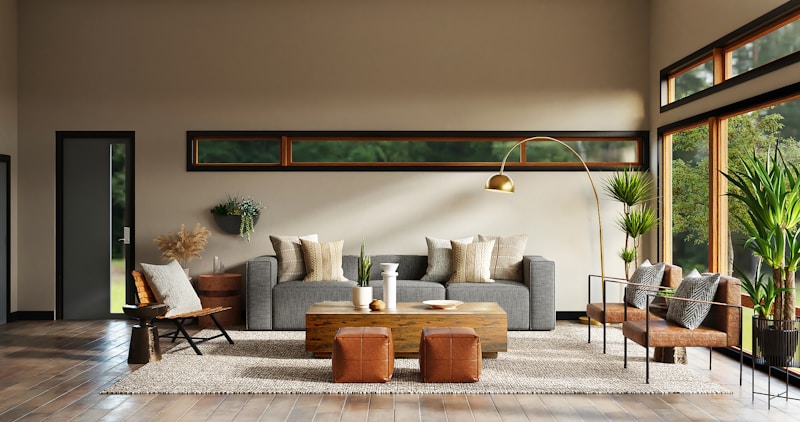
Photo: Unsplash — AI design tools turn photos of empty rooms into fully styled spaces in seconds.
1. RoomGPT: One-Click Room Transformations
RoomGPT does exactly what its name suggests: you upload a photo of a room, and it generates photorealistic renderings of that same room in different design styles. The AI preserves the room's architecture — walls, windows, floor plan — and changes only the furnishings, colors, and materials. Upload a photo of a client's empty living room, select "Scandinavian," "Industrial," "Bohemian," and "Modern Minimalist," and you get 4 variations to present at the consultation.
Why designers use it: Clients who "can't visualize" become clients who "love option 2 — let's do that." RoomGPT reduces the typical 2-3 revision cycles to 1 because clients see exactly what they're getting before you start sourcing furniture. The free tier gives you 3 renders; Pro is $9/month for unlimited. At that price, it pays for itself in the first hour of saved revision time.
2. Midjourney: Mood Boards and Style Exploration
Midjourney serves a different purpose in the design workflow. Instead of transforming existing rooms, it generates original images from text descriptions. For interior designers, this means: creating mood boards for client pitches ("Victorian library with emerald green walls and brass lighting"), exploring material combinations ("marble countertop with brushed gold fixtures and navy cabinets"), and generating concept art for custom furniture pieces before commissioning a fabricator. Midjourney excels at the ideation phase — when you're exploring possibilities, not finalizing decisions.
Real workflow: Start with Midjourney to explore 20+ style directions with a client in 10 minutes. Narrow to 2-3 preferred styles. Switch to RoomGPT to apply those styles to the client's actual space. Present the RoomGPT renders as the proposal. This workflow replaces 2-3 weeks of manual mood board creation and revision with an afternoon of AI-assisted exploration.
| Tool | Best For | Price |
|---|---|---|
| RoomGPT | Client-ready room renderings from real photos | Free (3 renders) / $9/mo Pro |
| Midjourney | Mood boards, style exploration, concept art | $10/mo Basic / $30/mo Standard |
Our recommendation: Get both. RoomGPT for client deliverables ($9/mo), Midjourney for creative exploration ($10/mo). Total: $19/month. That's less than one hour of a designer's billing rate, and it saves 10+ hours per project.
3. Client Presentation Workflow: From Idea to Approval in One Meeting
The traditional design process requires 2-3 meetings before a client approves a direction. Here's how AI compresses that into one meeting:
- Before the meeting: Use Midjourney to generate 10 style directions based on the client's intake form ("they said 'warm, modern, family-friendly'").
- Meeting (first 10 min): Show the 10 Midjourney mood boards. Client eliminates 7, keeps 3. You now have a clear style direction without asking "what style do you like?" — which most clients can't answer.
- Meeting (next 10 min): Pull up RoomGPT with the client's actual room photos. Apply the 3 chosen styles to their space. Client sees their actual living room in Scandinavian, Japandi, and Modern Organic — instantly.
- Meeting (final 5 min): Client selects their favorite. You leave the meeting with a signed proposal, not "let me put some ideas together and come back next week."
Result: One 25-minute meeting replaces 2-3 meetings over 2 weeks. Projects start 2 weeks faster. Revenue per hour doubles.
4. Style Transfer vs. Room Rendering: When to Use Which
| What You Need | Use This | Why |
|---|---|---|
| "Show me what this room would look like in Modern Farmhouse style" | RoomGPT | Transforms the actual room — furniture placement, layout, materials all adapt |
| "Give me 20 ideas for a kitchen backsplash that combines blue and brass" | Midjourney | Generates creative variations — no source photo needed |
| "I have this weird L-shaped living room — show me 3 furniture layouts" | RoomGPT | AI understands spatial constraints from the photo — layouts will actually fit |